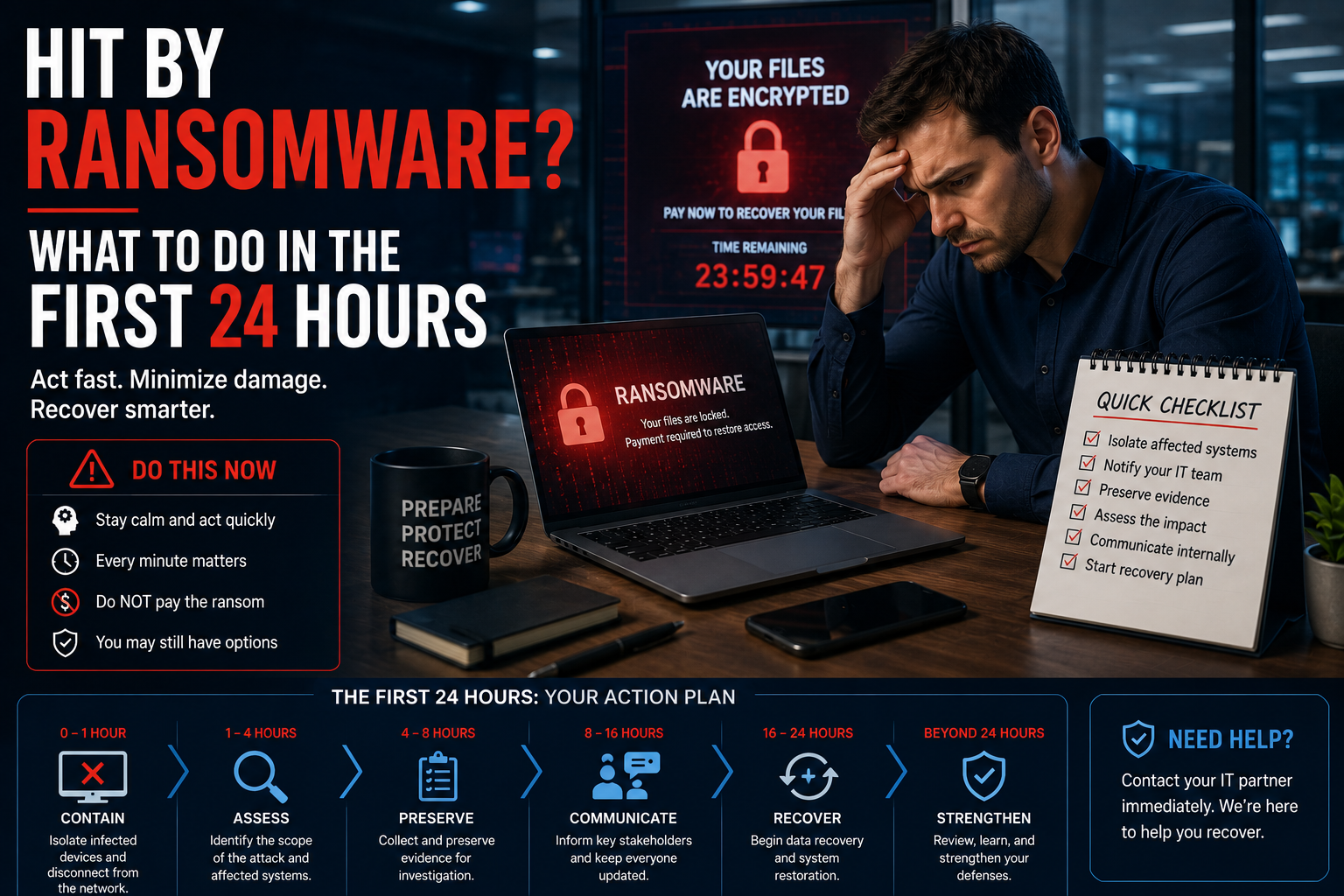
If you’re being hit by ransomware right now: disconnect affected machines from the network immediately, but do not power them off. Don’t delete anything. Don’t pay yet. Call your IT provider and your cyber insurance carrier before you take any further action contacting the insurer first is often a policy requirement, and acting without them can void your coverage.
Need emergency help in Los Angeles or Orange County? Call (213) 855-3506.
If you’re reading this during an active incident, skip to the checklist below. If you’re reading it beforehand — good. That’s the version of this article that actually helps.
The first hour
What you do in the first sixty minutes determines how much of this you recover and how much it costs.
Disconnect, don’t shut down
Pull affected machines off the network. Unplug the ethernet cable. Turn off Wi-Fi. Isolate them.
Do not power them off.
This trips up almost everyone, because shutting down feels like stopping the attack. It doesn’t. What it does is wipe the machine’s memory — and memory often holds encryption keys, running process details, and forensic evidence that determines whether recovery is possible at all.
Disconnect. Leave it running. Let the responders decide what happens next.
Isolate your backups immediately
Modern ransomware hunts backups first. It knows that a company with clean backups doesn’t pay.
If your backups are reachable from the infected network, disconnect them now. Cloud backups — revoke access or disable the sync. Physical backup devices — unplug them.
Every minute they stay connected is a minute they might get encrypted too.
Do not delete anything
Not the ransom note. Not suspicious files. Not the strange emails.
The instinct to clean up is strong and it’s the wrong instinct. That material tells responders which variant hit you, how it got in, and whether a decryptor exists. Delete it and you’ve destroyed your own case — for recovery, for the insurance claim, and for any legal exposure that follows.
Write down the time
Start a log. Timestamp everything: when you noticed, what you saw, what you did, who you called.
You’ll need this for the insurance claim. You may need it for regulators. And two days into a stressful incident, nobody remembers the sequence accurately.
Hours 1–4: Who to call, and in what order
Order matters here.
1. Your IT provider or internal IT lead
They need to start containment and determine the scope. If your provider offers 24/7 emergency response, this is what you pay for.
2. Your cyber insurance carrier
Do this before you engage any outside vendor.
Most policies require notification within a specific window — often 24 to 72 hours. Many also require you to use their approved incident response firms. Hire your own forensics team first, and the carrier may refuse to reimburse it.
The carrier will typically assign a breach coach — usually a specialized attorney who coordinates everything from there. Let them.
3. Legal counsel
Your carrier’s breach coach often fills this role. If you don’t have cyber coverage, get your own attorney involved early. Data breaches carry notification obligations under California law, and the deadlines are real.
4. Leadership
Whoever needs to make decisions about operations, communication, and money. They should hear it from you, not from a customer.
Who not to call yet
Don’t post about it. Don’t email your whole customer base. Don’t tell staff more than they need to operate safely.
Notification obligations are legally specific and time-sensitive. Get advice before you communicate externally — an early, inaccurate statement can create problems that outlast the attack.
Hours 4–12: Working out how bad it is
Your responders will be answering three questions:
How did they get in? Usually a phishing email, exposed remote desktop, a stolen password, or an unpatched system. Until you know, you can’t be confident you’ve closed it.
How far did they get? Which systems, which data, which accounts. This determines your notification obligations.
Is data stolen as well as encrypted? Most modern ransomware groups steal data before encrypting it, then threaten to publish. This is “double extortion,” and it changes everything — because clean backups don’t solve a data leak.
Meanwhile, don’t wait to start operating. Get your team on clean devices. Set up temporary communication. Work out what you can run manually.
The question everyone asks: should we pay?
Nobody can answer this for you, and anyone who gives you a fast answer either way isn’t thinking hard enough.
Arguments against paying:
- No guarantee. Decryptors are frequently slow, buggy, or partially broken.
- You’re funding the next attack, on someone else.
- Paying marks you as a payer. Repeat targeting is common.
- Payments to certain sanctioned groups can carry legal exposure.
Why companies pay anyway:
- Backups failed or got encrypted too.
- Downtime cost exceeds the ransom, quickly.
- Stolen data will be published otherwise.
What actually decides it: whether your backups are clean and restorable. Companies with tested, isolated backups rarely pay. Companies that discover their backups were also encrypted usually have a much harder conversation.
If you have cyber coverage, your breach coach handles negotiation. There are firms that do only this. Don’t negotiate directly.
Hours 12–24: Starting recovery
Recovery isn’t restoring files. It’s rebuilding trust in your environment.
Rebuild, don’t clean. Restoring a compromised machine risks leaving the attacker’s access in place. Standard practice is to rebuild from known-good images.
Reset every credential. All of them. Assume anything stored on a compromised machine is now in someone else’s hands.
Close the entry point first. Restoring before you’ve fixed how they got in is how businesses get hit twice in a month. It happens more than you’d think.
Restore in priority order. Whatever gets you operating comes first. Not everything at once.
What this actually costs
Beyond any ransom:
- Incident response and forensics: $20,000 to $100,000+
- Downtime: highly variable, often the largest number
- Legal and notification costs
- Regulatory exposure, depending on your industry
- Customer churn and reputational damage
- Insurance premium increases at renewal
The full cost typically runs several times whatever the ransom demand was.
The prevention that actually works
Every item below is cheaper than the incident. All of them are also now standard cyber insurance requirements.
Offline, immutable backups — tested. The single biggest factor in whether ransomware is a bad week or an existential event. Test restores quarterly and document them.
MFA everywhere. Email, VPN, remote desktop, admin accounts, cloud apps. Enforced, not merely available.
EDR, not just antivirus. Behavior-based detection catches encryption patterns that signature-based tools miss entirely.
Patch fast. Especially anything internet-facing. Attackers scan for known vulnerabilities within days of disclosure.
Close or protect remote desktop. Exposed RDP remains one of the most common entry points. If you need it, put it behind a VPN with MFA.
Segment your network. So one infected machine in accounting can’t reach your servers.
Train your people. Most attacks start with someone clicking. Ongoing training and simulated phishing, not an annual video.
Write the incident response plan now. Nobody thinks clearly during a crisis. Decide the sequence while everyone is calm.
Frequently asked questions
Should I turn off the infected computer? No. Disconnect it from the network but leave it running. Powering off destroys memory-based evidence that may be needed for recovery and for the insurance claim.
How long does ransomware recovery take? With clean, tested backups: often two to seven days for core systems. Without them: weeks, and sometimes the business doesn’t fully recover.
Will insurance cover the ransom? Many policies do, but only if you follow the process — notify promptly and use approved vendors. Going off-script can void coverage.
Do we have to notify customers? Depends on what data was accessed and which regulations apply. California has specific breach notification requirements. Get legal advice before you decide.
Can we just restore from backup and move on? Only if the backups are clean and you’ve closed the entry point. Restoring into a still-compromised environment usually results in a second attack.
How do most ransomware attacks start? Phishing emails, exposed remote desktop, stolen or reused credentials, and unpatched internet-facing systems. Those four cover the large majority.
Under attack right now?
Call (213) 855-3506.
WinC Services provides emergency incident response and ransomware recovery for businesses across Los Angeles and Orange County. Based in Pasadena.
Not under attack — want to make sure you’re ready?
We’ll assess your backup integrity, test whether a restore actually works, review your MFA and endpoint coverage, and give you a written readiness report.
Request a ransomware readiness assessment →
Related reading: